
Trader Sage x Tradovate

Best-in-Class Futures Trading Data Integration
Trader Sage offers a comprehensive integration with Tradovate, designed to give futures traders complete visibility into their trading performance with minimal effort. Our integration is built to handle the complexities of futures trading while providing you with powerful analytics to improve your trading decisions.
Flexible Import Options
- ✓Statement uploads for historical data analysis
- ✓Simple setup with step-by-step instructions
Comprehensive Futures Support
- ✓E-mini and Micro futures contracts (ES, NQ, MES, MNQ)
- ✓Commodity futures (CL, GC, SI, NG)
- ✓Treasury and currency futures
Advanced Futures Trading Analytics
Unlike other trading journals, Trader Sage excels at handling futures trading data. Our platform provides detailed analytics specifically designed for futures traders, helping you understand your performance patterns and improve your trading.
Detailed Performance Analytics
Track your Tradovate trading performance with comprehensive analytics and visualizations:
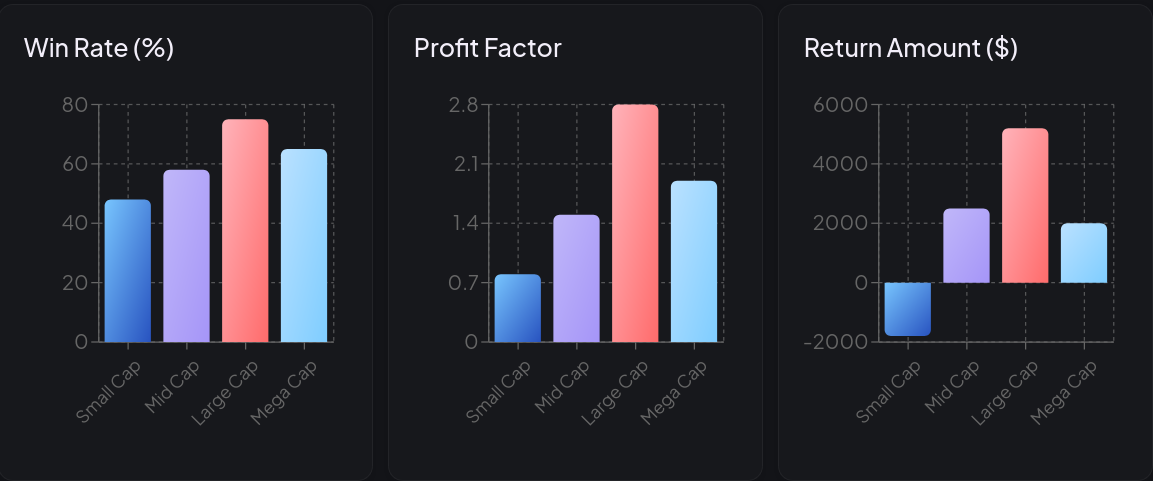
Performance Statistics
Get detailed statistics on your futures trading performance across different timeframes and instruments.
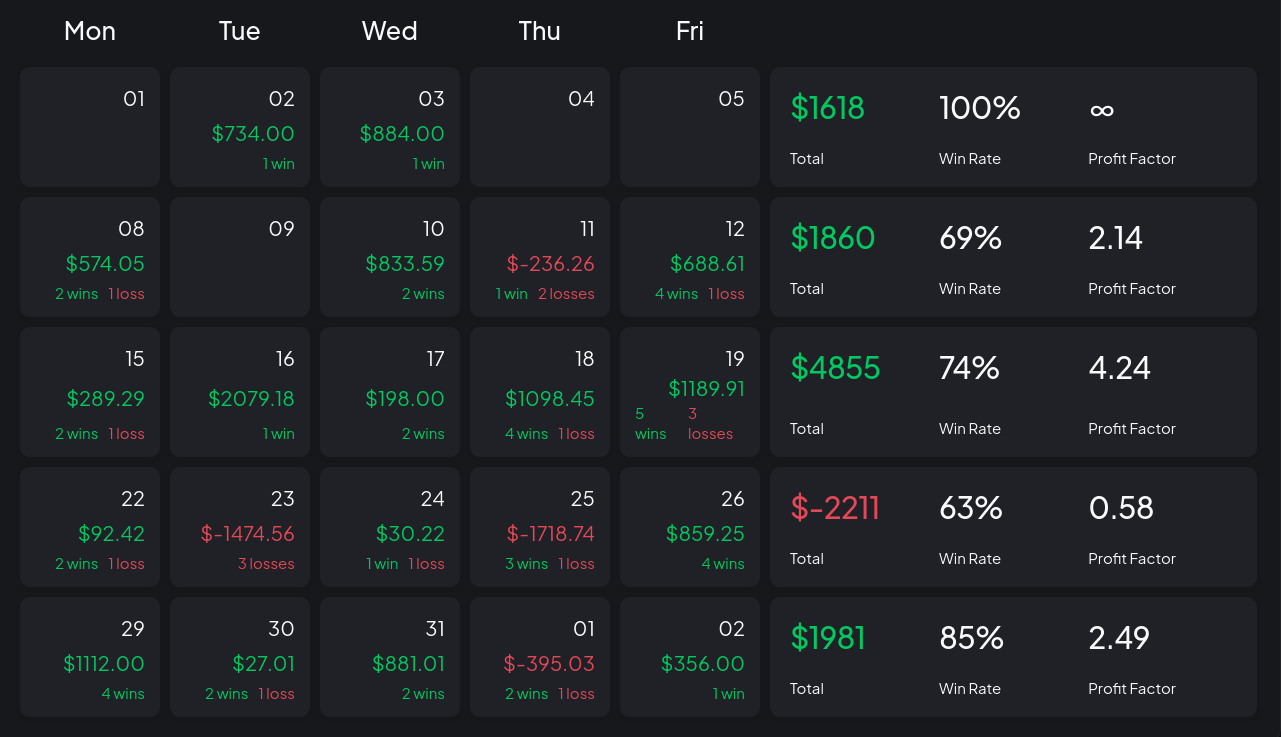
Calendar View
Track your daily and monthly futures trading performance with our intuitive calendar view.
Why Choose Trader Sage for Tradovate
Trader Sage's Tradovate integration is built by futures traders for futures traders. We understand the unique challenges of futures trading and have designed our analytics to help you succeed:
- Proper handling of futures contract specifications and tick values
- Clear visualization of intraday trading patterns
- Complete fee and commission tracking for accurate P&L
- Journal entries linked to specific trades for review
Getting Started
Setting up your Tradovate integration with Trader Sage is simple:
- Create your free Trader Sage account
- Navigate to the Import section
- Select Tradovate as your broker
- Upload your statement file
- Follow the step-by-step instructions to complete the setup